How to Scrape Twitter (X.com) Using Lobstr.io Twitter Scraper API
Explore how to scrape Twitter (X.com) using Python in 2025. Learn how to scrape top and latest tweets from Twitter search and #hashtags for trend analysis.
Did you know that X (formerly Twitter) sees around 500+ million posts per day?
With so much content being shared, it’s one of the best platforms for tracking real-time trends, audience pain points, sentiment, and viral discussions.
But collecting Twitter data at scale isn’t as easy as it used to be. The official API is expensive and restrictive, making it difficult to access tweets efficiently.
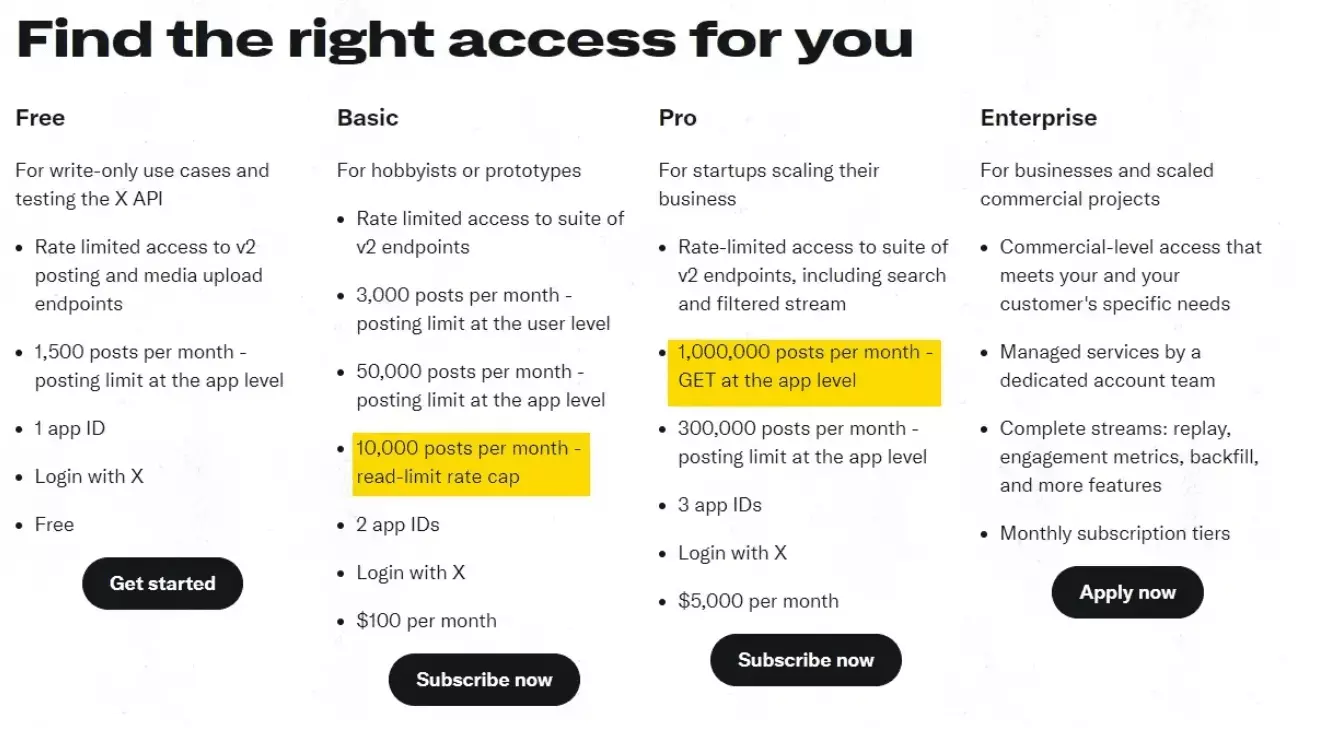
What if you could still scrape Twitter trends, using Python, without relying on pricey and boring Twitter’s API?
In this guide, I’ll give you a walkthrough of how to use the Lobstr.io API to scrape tweets from Twitter search results and hashtags.
But before we dive in, is scraping Twitter even legal?
01 / 06Is it legal to scrape Twitter?#
⚠️ Disclaimer This information is a general overview based on publicly available sources and does not constitute legal advice. Laws and regulations can vary by jurisdiction, so it's essential to consult with a legal expert to ensure compliance with applicable laws.
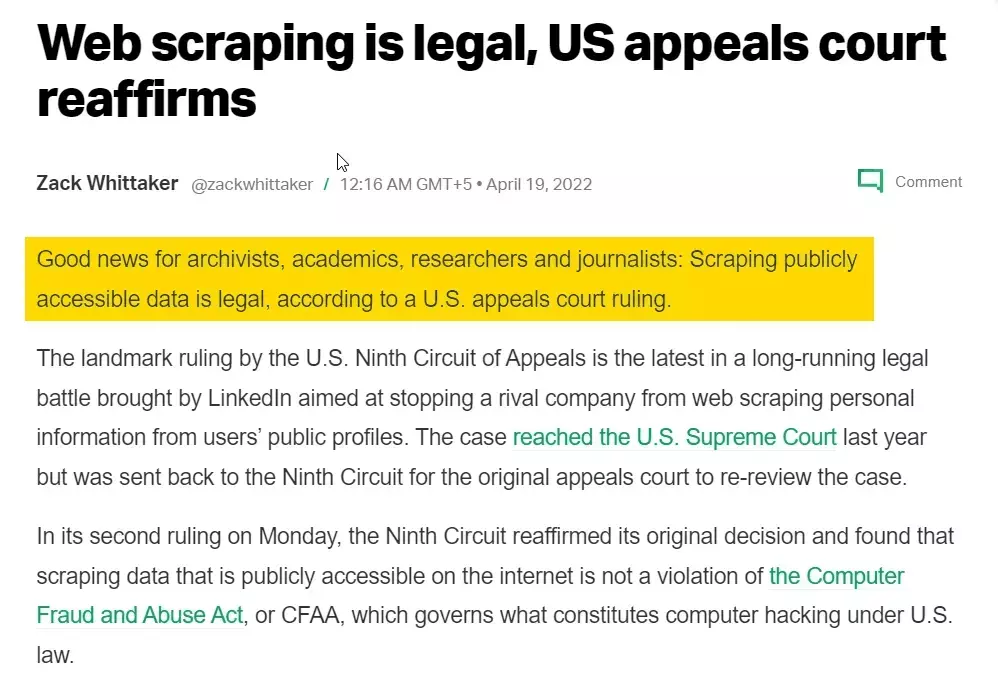
Scraping Twitter is generally legal when it’s limited to publicly available information. This might include collecting data such as public tweets, public profiles, and hashtags.
While public data scraping is generally supported under laws like the Computer Fraud and Abuse Act (CFAA), you should check your local laws for a better perspective.
Additionally, issues may arise with copyright, privacy, or trade secret claims if you scrape sensitive information.
You can read this article for detailed information on legality of Twitter scraping.
But why not use the official API?
As I said in the intro, the official API has several issues like:
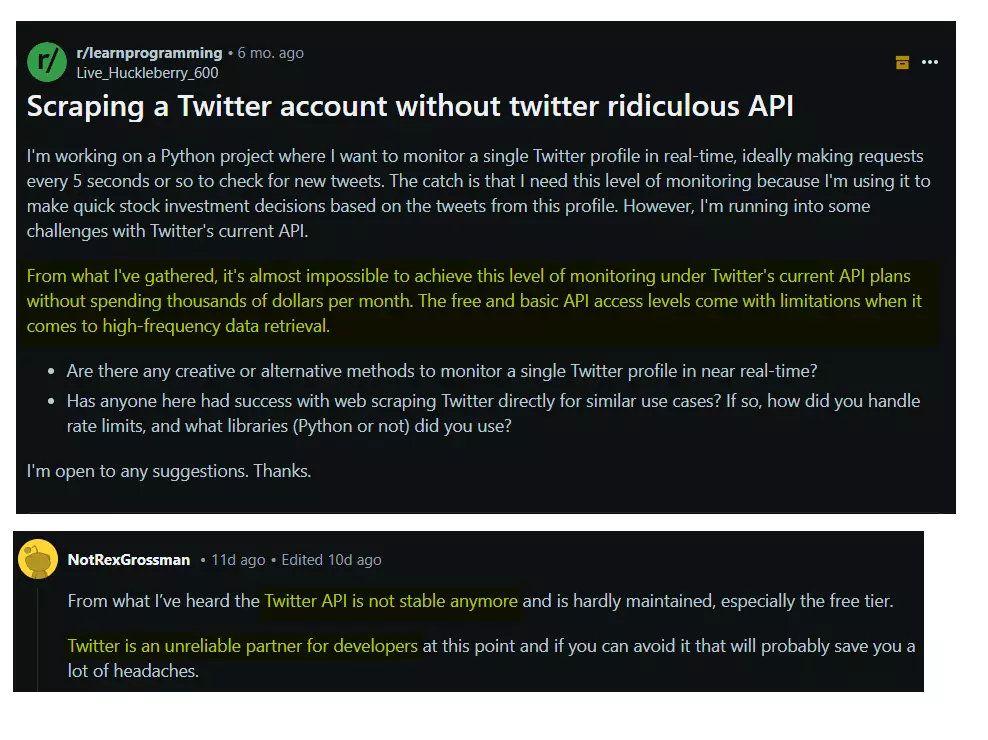
- It’s super expensive
- It has ridiculous restrictions
- It’s not maintained properly
I have explained the issues with Twitter API in detail in my article: +5 Best Twitter Scrapers of 2024 [No-Code Edition]
Now the question is, how can you scrape Twitter search results without using the official API?
02 / 06How to scrape Twitter without using the ridiculous official API?#
Well, you can use a no-code solution like Twitter Search Results Scraper.
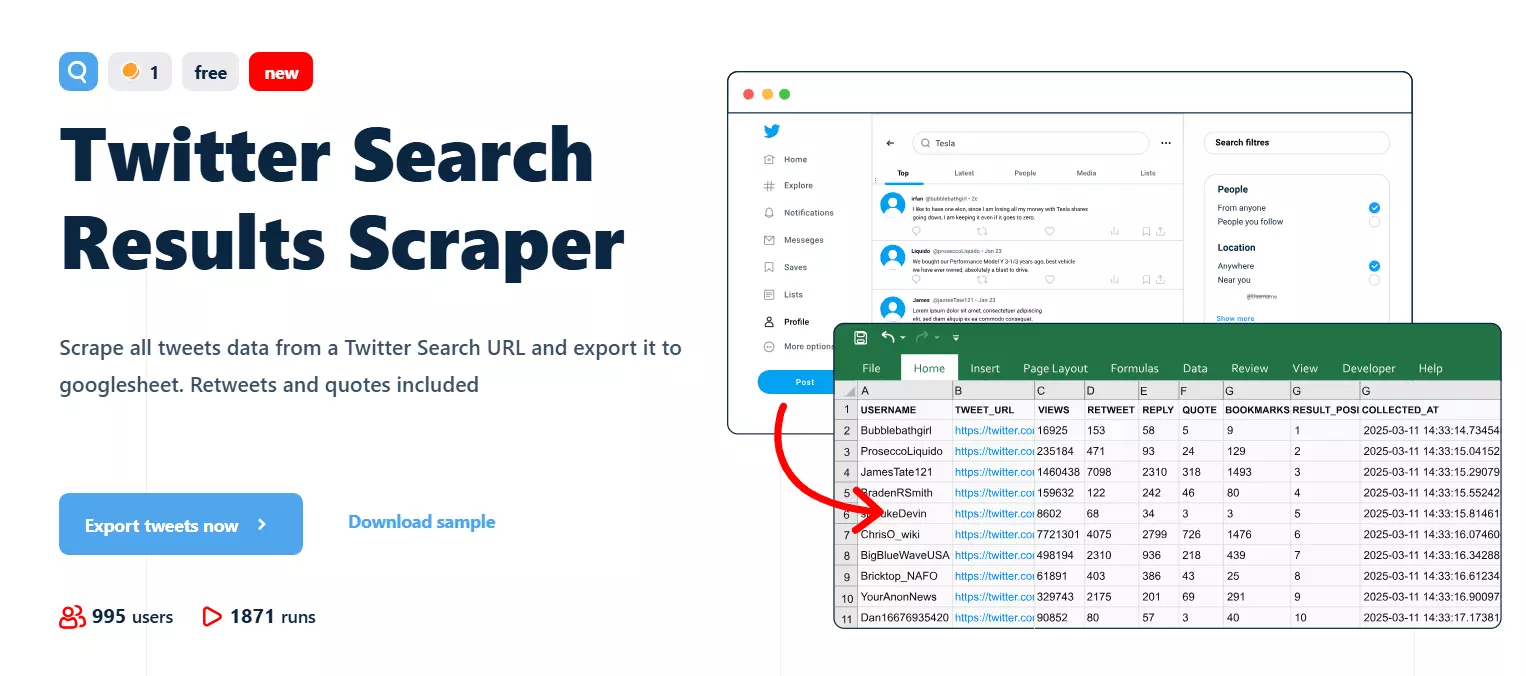
Scrape all tweets from Twitter search or hashtag for free
But if you’re reading this article, you’re most likely looking for a Python based solution. For that, you can try one of these 2 options:
- Building your own custom scraper
- Using Lobstr.io’s Twitter Scraper API
The first option is a hell lot of complicated and takes a lot of time and resources.
You’ll have to understand Twitter’s webpage layout, do reverse engineering to find a way to fetch data, build a scraper, and continuously maintain it.
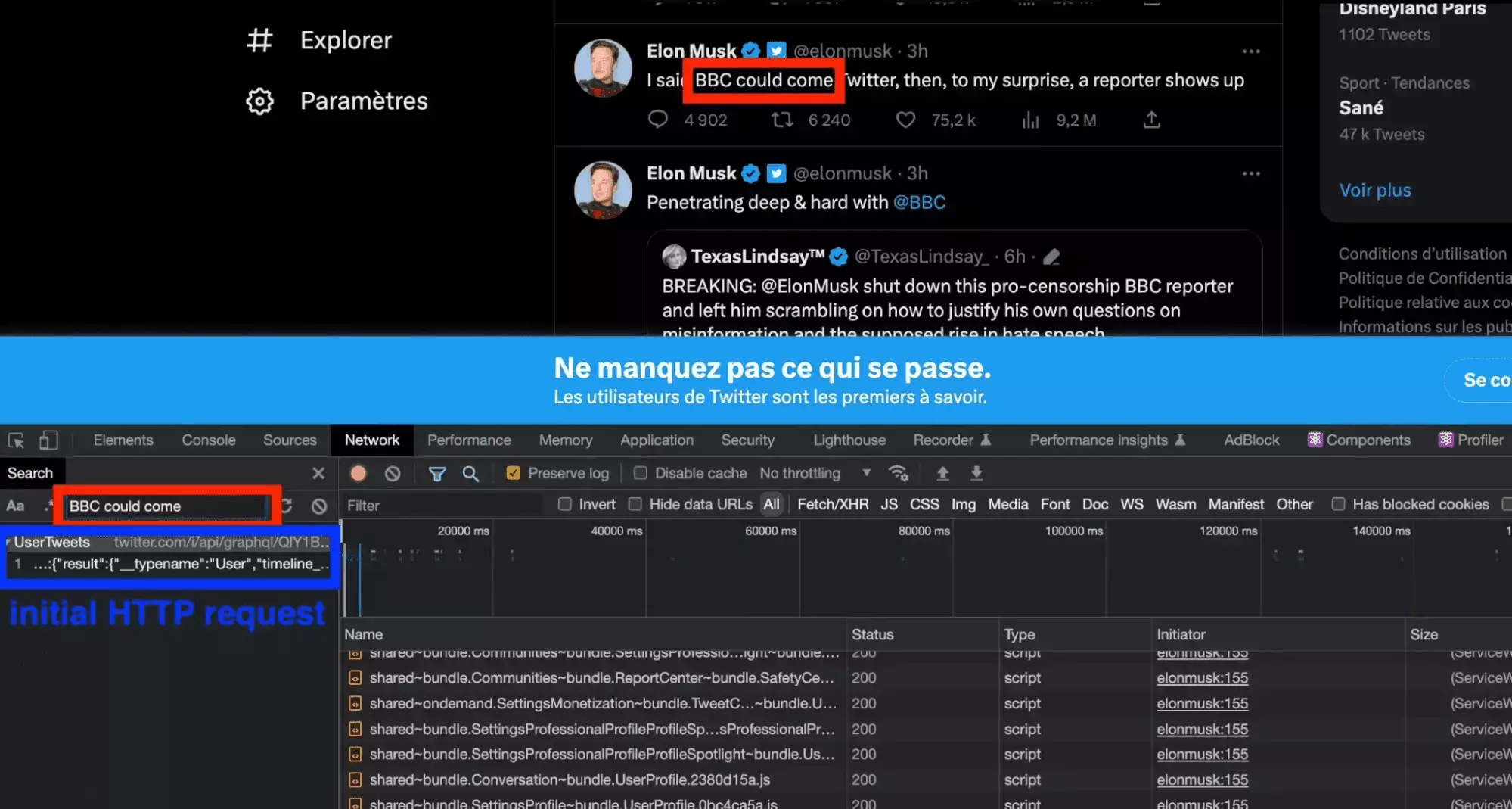
If you’re ready to adopt this headache, you can read our previous article on the same topic 👉 How to scrape Tweets with Python and requests?
But if you need a well-maintained solution with no headache, going for an API is the best way to go.
What is the best free Twitter API?#
If you’re looking for a well-maintained, scalable, and easy to go solution, Lobstr.io API is the ideal choice for you.
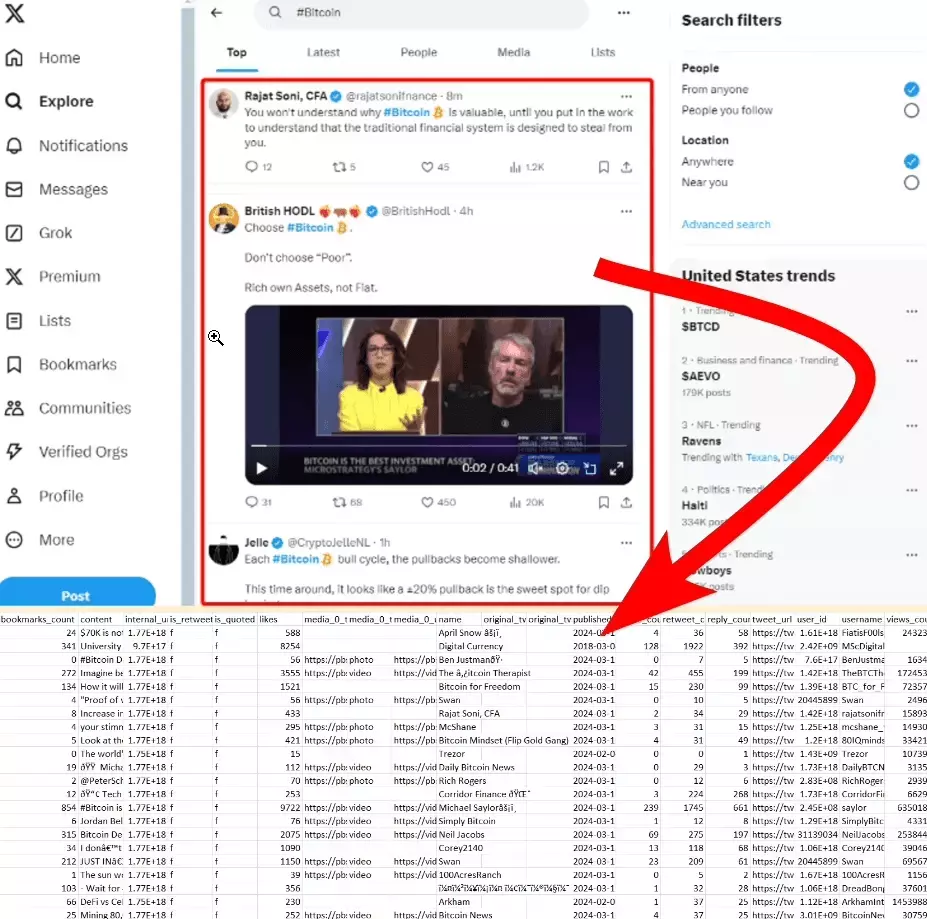
Scrape all tweets from Twitter search results using Lobstr.io API
Why Lobstr.io?
- Collects all tweets from Twitter search/hashtag
- Gives you 25 key data points about every tweet
- Collects both top and latest tweets separately
- Bypasses login wall to avoid 100 search results limit
How much does it cost?
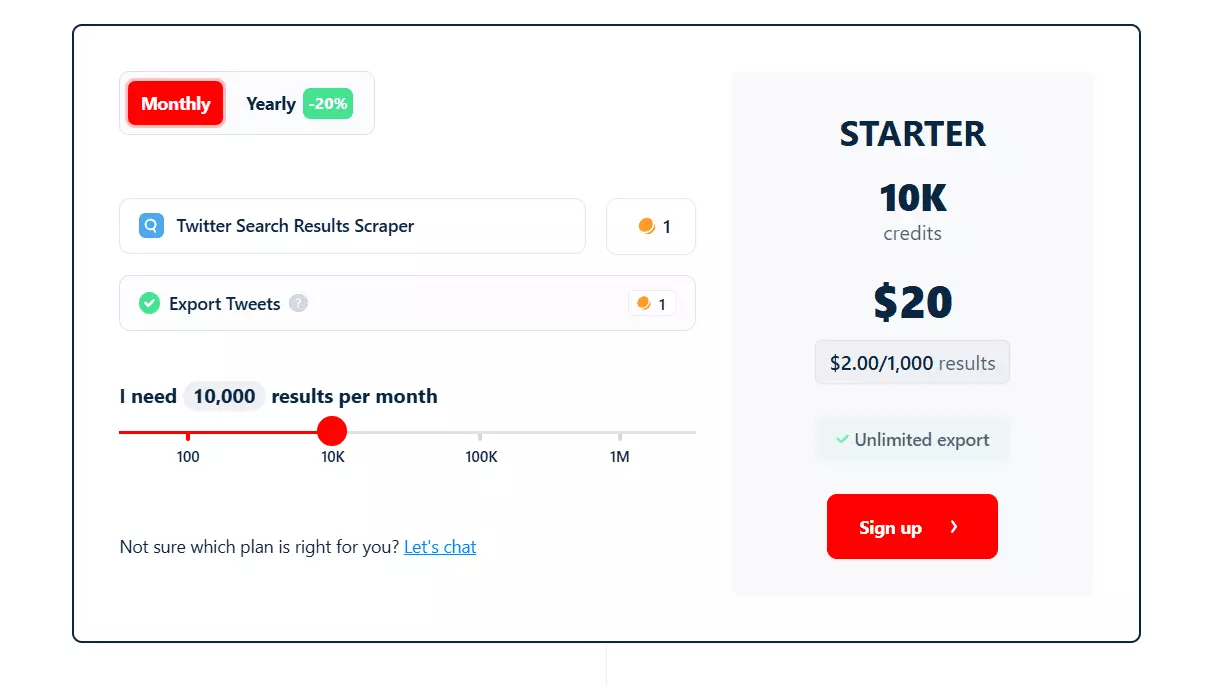
- Scrape 100 tweets per month for free
- On paid plans, cost per 1k tweets starts at $2
- At scale, price drops to $0.5 per 1k tweets
Now let’s create a Twitter trends scraper using Python and Lobstr.io.
03 / 06Step by step tutorial to scrape Twitter trends using Python and Lobstr.io API?#
Before going beep-boop-beep-boop, let’s have a look at the prerequisites first. To get started, you need:
- Twitter session cookies
- Lobstr.io API
Why session cookies?
Twitter now won’t let you view tweets in search results and top trends without login. Everything is now behind a login wall.
So to access tweets, we need to login to a Twitter account. Lobstr.io API uses cookies instead of login credentials for safety.
With cookies, you handle a session token instead of your username and password. This lets you avoid putting your login credentials directly in the script, which is safer.
But how do I find my session cookies?
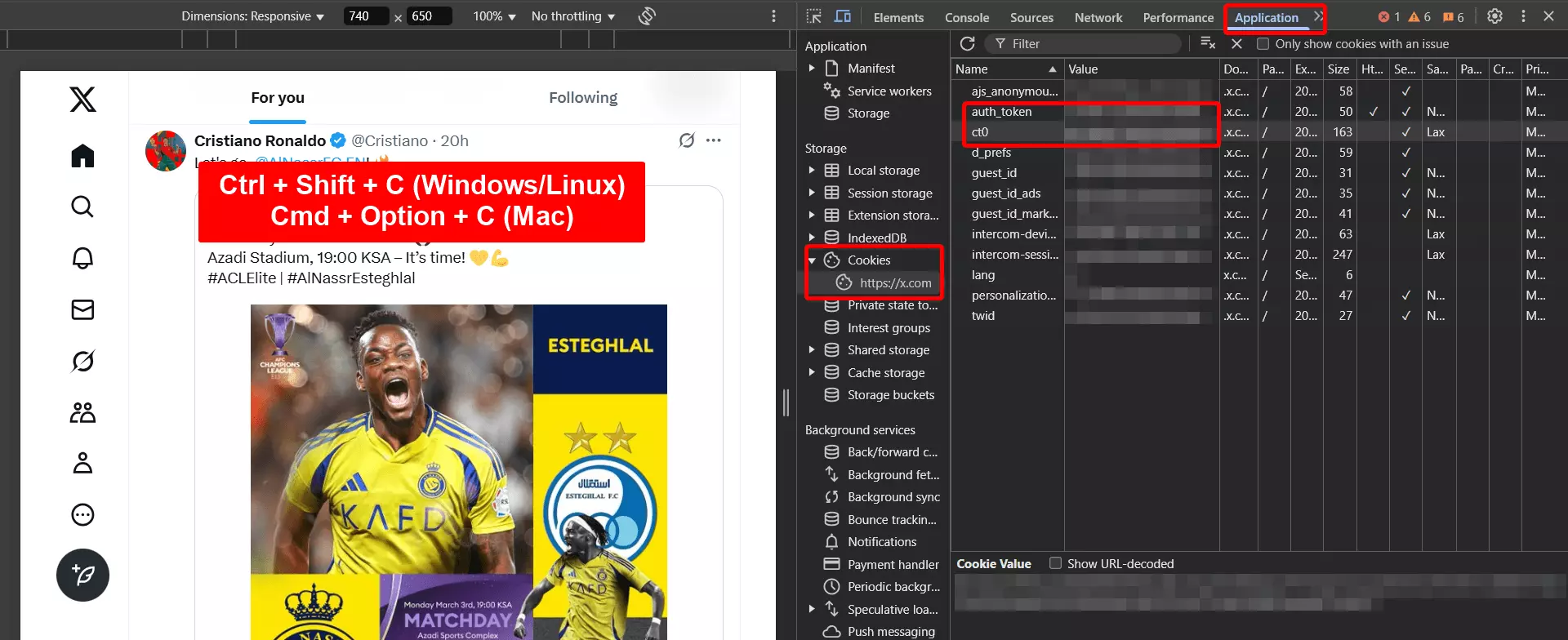
- Go to X.com and login to your account
- Open developer options
- Go to Applications > Cookies > https://x.com
- Now copy the values of
auth_tokenandct0
Just be sure to store and manage your cookies securely and update them when needed.
Next, get the Lobstr.io API key from your dashboard.
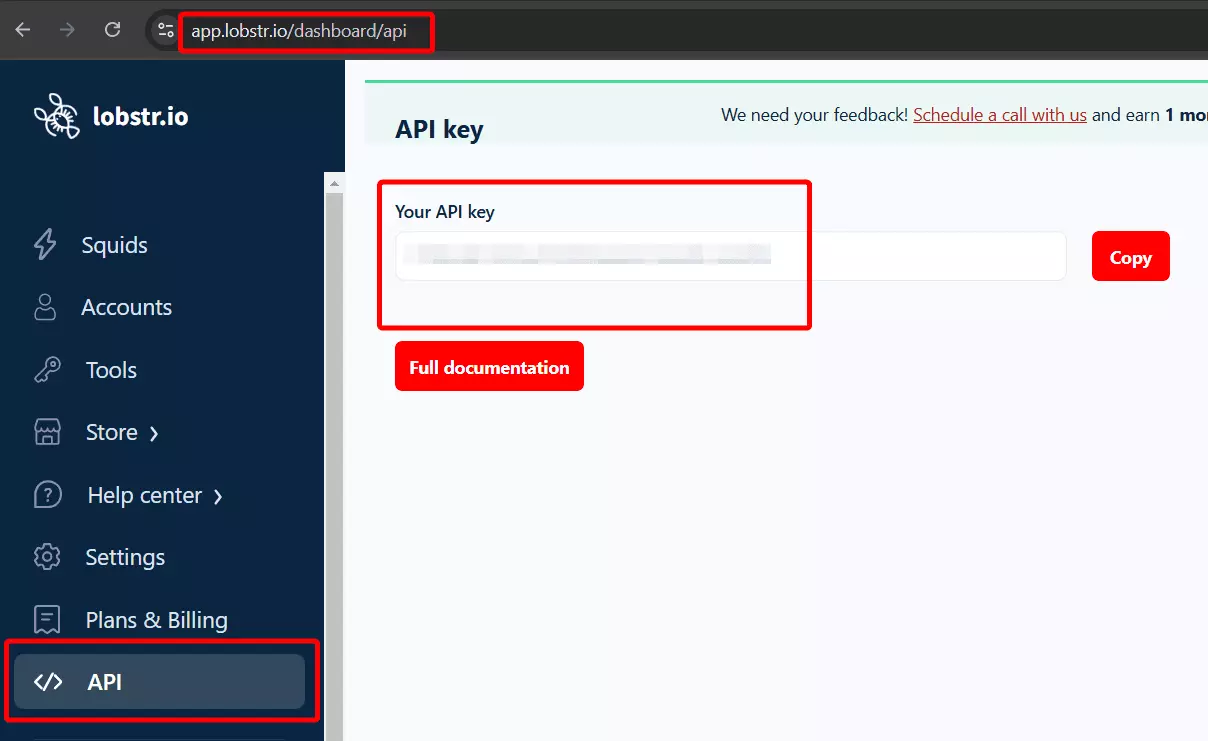
Click here to copy your Lobstr.io API key
What else? You may already know that you need Python installed on your system to run the code and a code editor to write the code.
You can use Sublime or VS Code for Windows and XCode for Mac. If you want an editor with access to AI models for coding assistance, use Cursor.
Now let’s get started with the coding part. I’ll code a powerful Twitter trends scraper in just 7 simple steps.
- Authentication
- Synchronization
- Creating Squid
- Providing inputs
- Launching crawler
- Downloading results
- Optimizing code
Let’s roll!
Step 1 - Authentication#
First thing first, we need to authenticate our script to interact with the Lobstr.io API and Twitter. Let’s start by importing the required libraries.
import requests
import os
from dotenv import load_dotenv
requests
This library is used to send HTTP requests. It will help us communicate with the Lobstr.io API i.e. sending requests and fetching responses from API.
dotenv
I’ll use this library to securely store my Lobstr.io API key, Twitter session cookies, and other sensitive information in environment variables.
You can also hardcode cookies and API keys in your script, but I prefer this method due to its enhanced security.
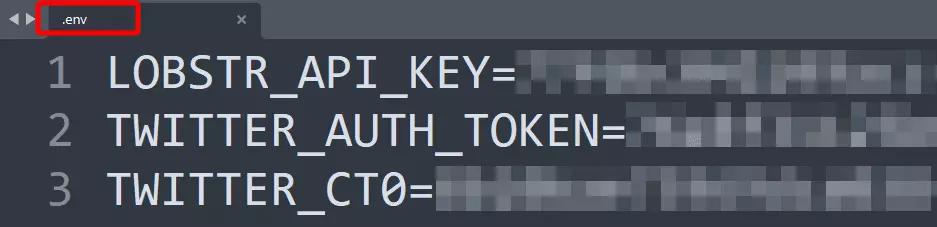
To store sensitive information in environment variables, create a .env file in your project directory, and add your variables and values.
Now let’s simply load the API key and cookies to the script.
load_dotenv()
api_key = os.getenv('LOBSTR_API_KEY')
x_auth_token = os.getenv('TWITTER_AUTH_TOKEN')
x_ct0 = os.getenv('TWITTER_CT0')
Now let's set the authorization headers. Also to maintain a persistent connection for multiple API calls, I'm creating a session object.
session = requests.Session()
session.headers.update({'Authorization': f'Token {api_key}'})
This not only improves performance but also lets us reuse settings like headers across requests.
Now let’s sync our X/Twitter account with Lobstr.io.
Step 2 - Synchronization#
For this step, we’ll have to have a look at API documentation, because we’re not going to interact with the API.
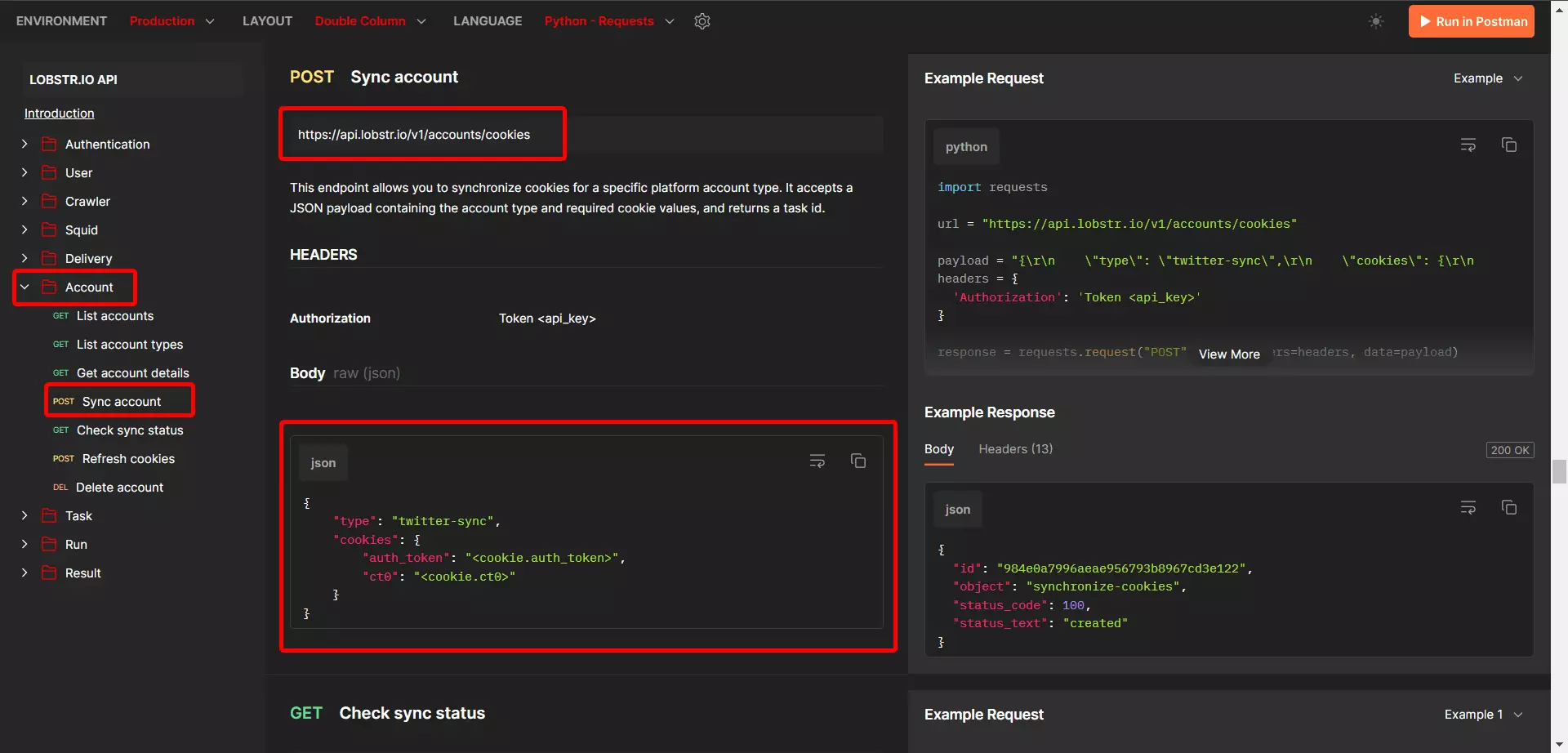
Click here to read Lobstr.io API documentation
So the endpoint to sync your X account with Lobstr.io is https://api.lobstr.io/v1/accounts/cookies.
And to verify synchronization, you can use https://api.lobstr.io/v1/synchronize/<sync_task_id> endpoint.
Also, since the base URL is the same for all endpoints, let’s store it in a base_url variable so we don’t have to copy and paste it every time we need it.
base_url = 'https://api.lobstr.io/v1/'
You can now concatenate endpoints to url with an f-string, but they can lead to issues with missing or extra slashes.
So to make my code more robust and less error-prone, I’ll pull a pro coder move and use urljoin, which makes sure your URLs are combined correctly.
from urllib.parse import urljoin
Now let’s create our first function i.e. sync_account() to sync X account to Lobstr.io
def sync_account():
    print('Syncing X account...')
    payload = {
    'type': 'twitter-sync',
    'cookies': {
        'auth_token': x_auth_token,
        'ct0': x_ct0
    },
    }
    acc_url=urljoin(base_url,'accounts/cookies')
    response = session.post(acc_url, json=payload)
    sync_id = response.json().get('id')
    if not sync_id:
        print('Sync ID not found in response')
        return None
    check_sync = urljoin(base_url,f'synchronize/{sync_id}')
    response = session.get(check_sync)
    if not response.ok:
        print('Checking Sync Failed...')
        return None
    print('Account synced successfully!')
Let’s run the script and confirm success.
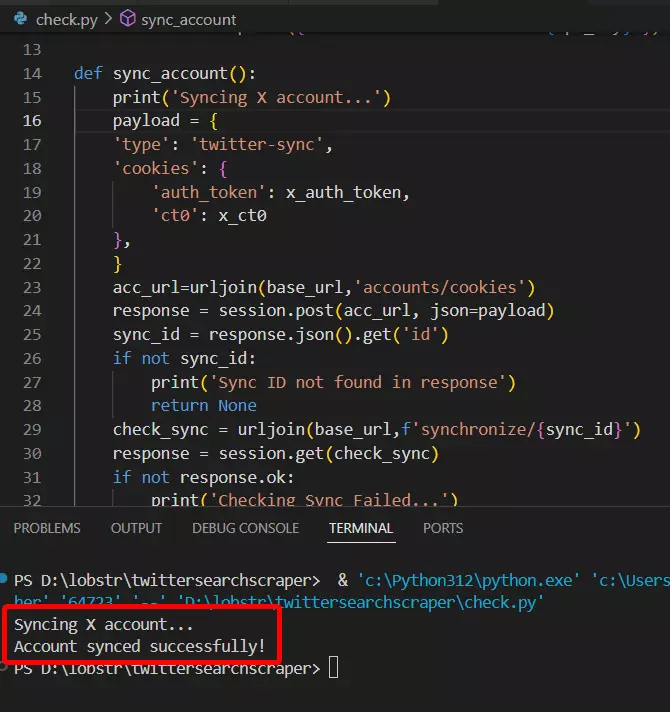
Voila!! We’re successfully synced.
Now let’s move to step 3.
Step 3 - Creating Squid#
A "Squid" is a container that groups together related inputs and configurations for a specific scraping operation.
To create a Squid, we’ll use the squids endpoint.
But looking at documentation, I found out that we need a crawler ID/hash too.
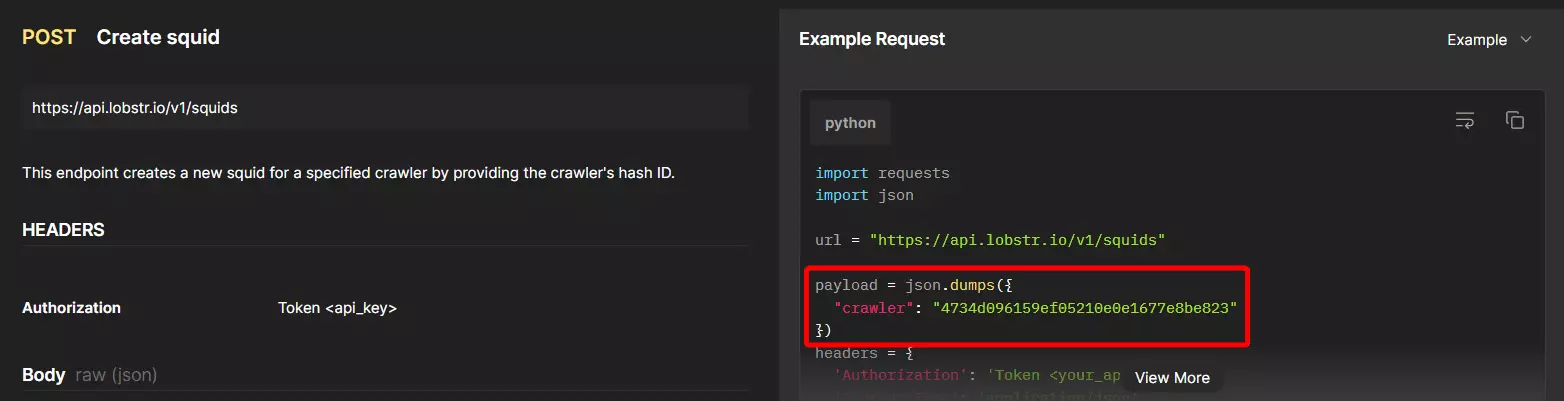
That’s because, for creating a Squid, we need to pinpoint which crawler/scraper we want to use.
3.1. Finding crawler ID
All crawlers/scrapers have unique IDs. To create a Squid, we need to get the crawler ID so that the API knows which crawler we need to run.
As per documentation, we can use the crawlers endpoint to list all crawlers and get crawler ID.
Let’s do a cURL to this endpoint and see the response.
curl --location "https://api.lobstr.io/v1/crawlers" --header "Authorization: Token <api_key>"
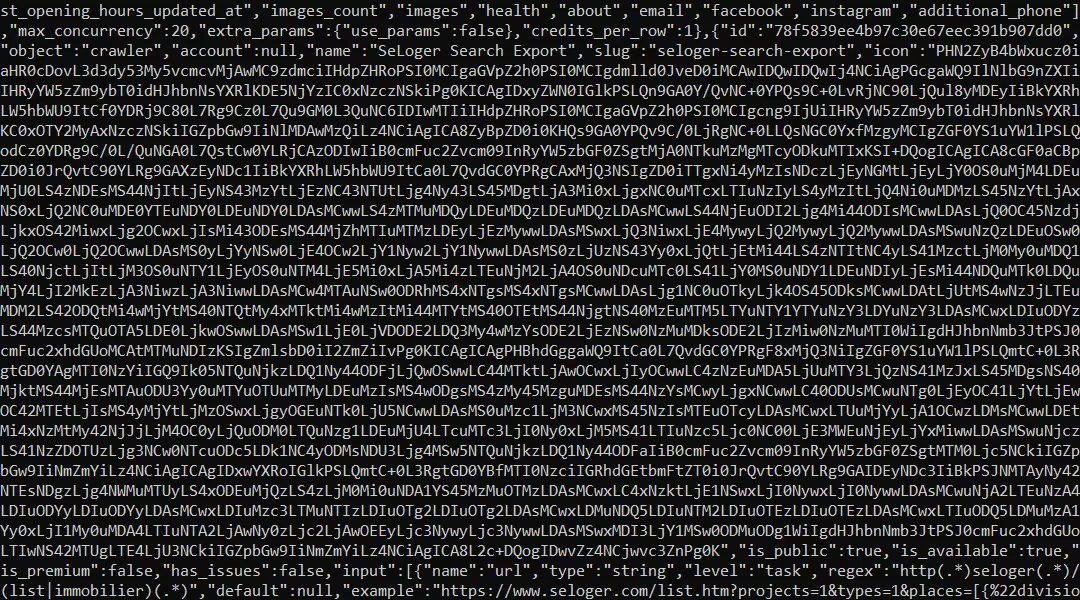
OK the response is in JSON and looks super messy. You can use Python for a cleaner response.
But I prefer shortcuts, so I’m going to copy this response and use a JSON beautifier to make the JSON response readable.
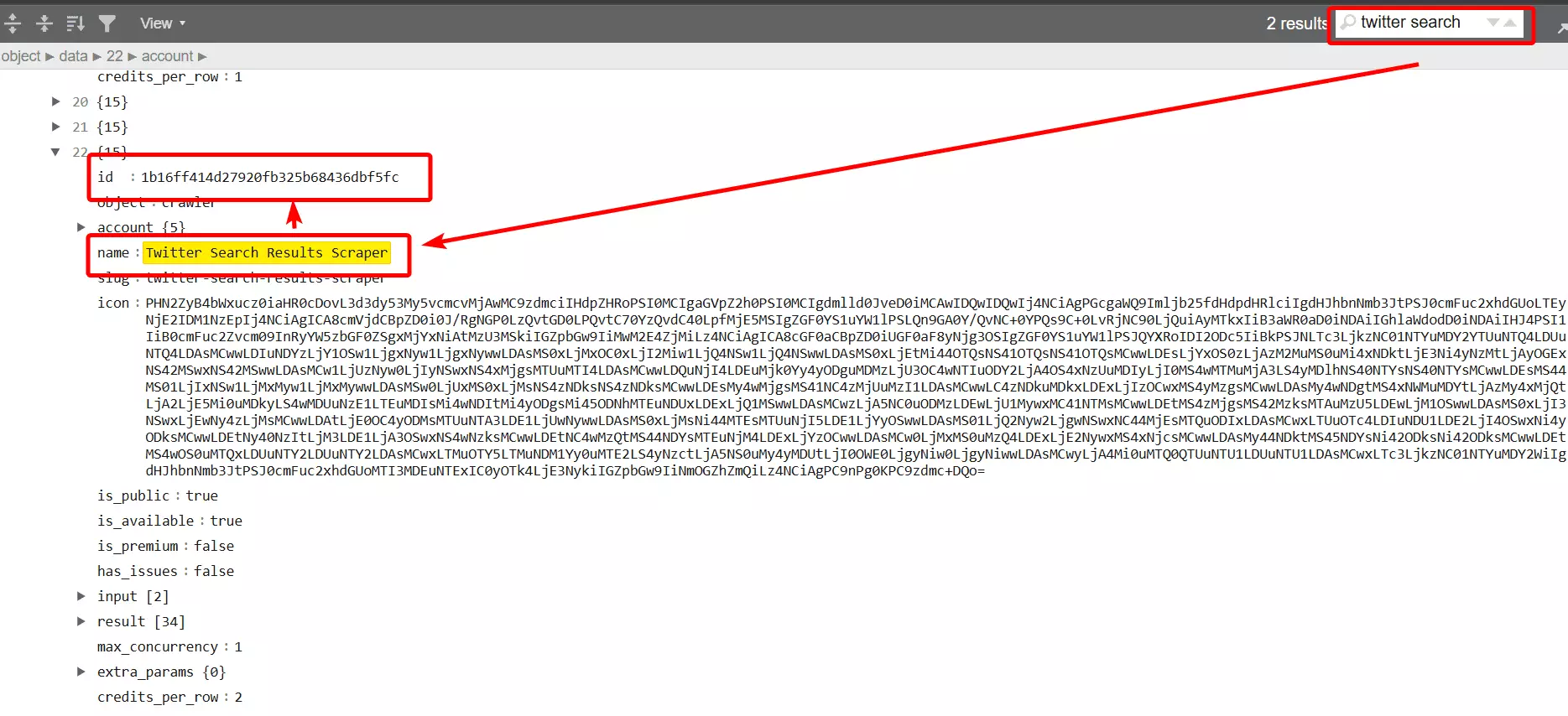
Now let’s copy the crawler ID and create our squid.
3.2. Creating Squid
I’m storing the crawler hash (crawler ID) in a variable so that if we need it in future, I don’t have to copy-paste it again and again.
crawler_hash = '1b16ff414d27920fb325b68436dbf5fc'
Now let’s create our function: create_squid()
def create_squid(crawler_hash):
    squid_url = urljoin(base_url, 'squids')
    payload = {
        'crawler': crawler_hash
    }
    print('creating squid...')
    response = session.post(squid_url, json=payload)
    if not response.ok:
        print('Squid creation failed...')
        return None
    squid_id = response.json().get('id')
    print('Squid created successfully with ID: ', squid_id)
    return squid_id
And our Squid is ready. Now it needs some input too. I need to tell it what and how much to collect.
Step 4 - Providing inputs#
Just like crawler ID, each crawler has its own set of inputs (tasks and parameters) you need to specify.
To find out what input Twitter Search Results Scraper needs, I’ll use the crawlers/<crawler_hash>/params endpoint.
Let’s do a simple cURL request and find out.
curl --location "https://api.lobstr.io/v1/crawlers/1b16ff414d27920fb325b68436dbf5fc/params" --header "Authorization: Token <api_key>
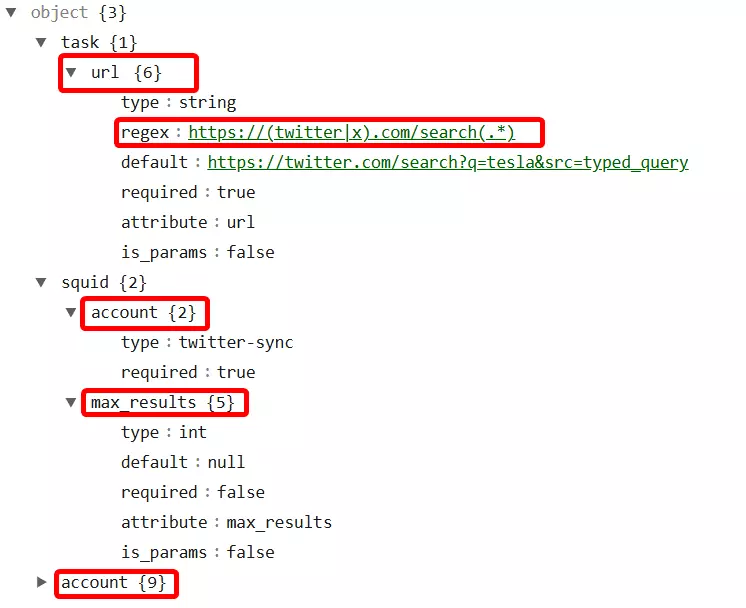
So we have 2 levels of inputs here.
- Task– the source input, in this case it’s a
twitter_search_url. - Squid– crawler settings parameters, in this case we need to set
max_resultsto scrape andaccountsto pinpoint Twitter accounts used in the Squid.
Let’s specify them one by one.
4.1. Add Task
You can do a Twitter search and copy the URL to add it as a task. Lobstr.io also accepts Twitter Advanced search URLs.
Since we’re scraping Twitter trends, I’ll pick a trending topic and copy the search URL.
To get top tweets, copy the top tweets URL, and to get latest tweets, copy the latest tweets URL. You can add both of them as tasks to collect both top and latest tweets.
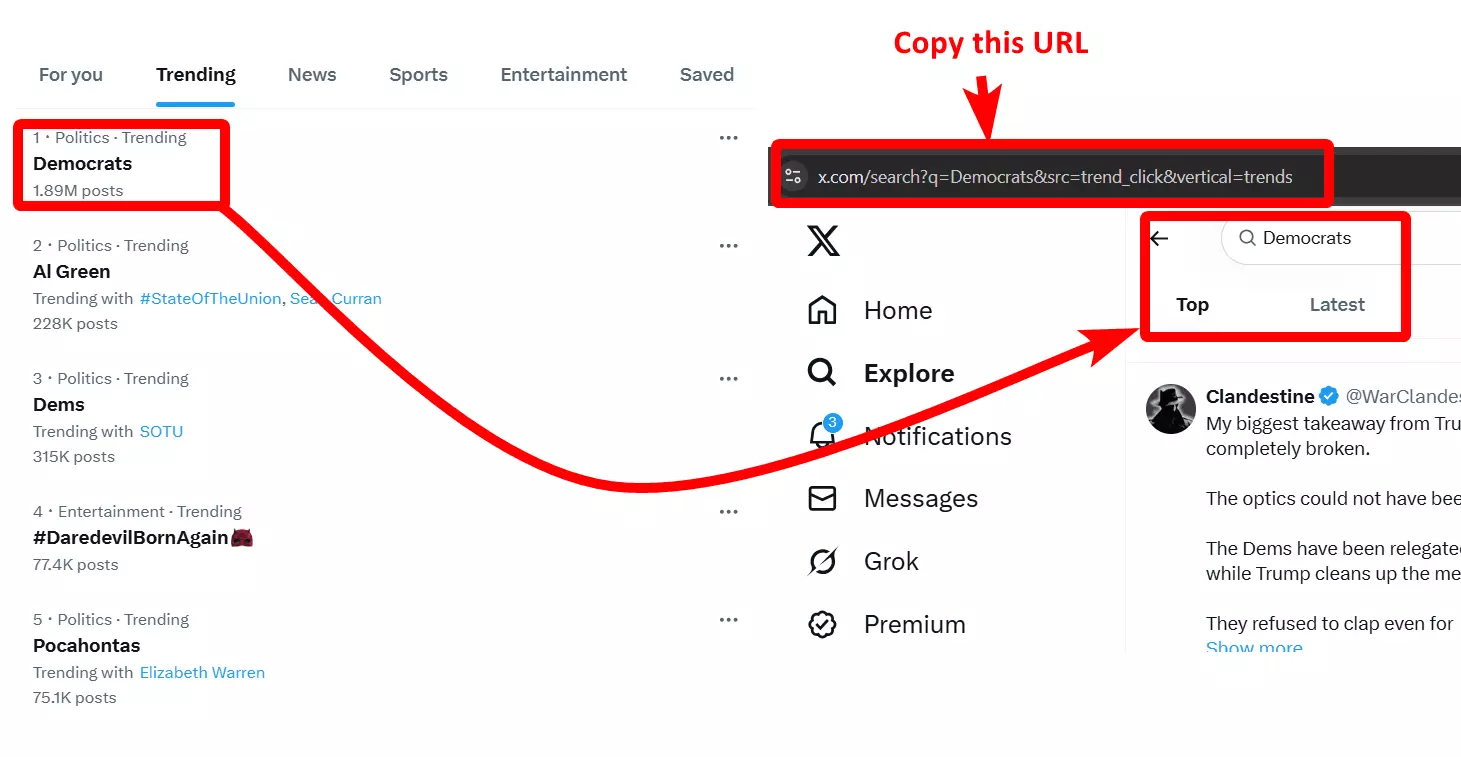
To add a task, we’ll use the tasks endpoint. Let’s create an add_task() function. It will also require the Squid ID, so let’s pass it as squid_id parameter.
def add_tasks(squid_id):
    task_url = urljoin(base_url, 'tasks')
    payload = {
        'tasks': [{
            'url': 'https://x.com/search?q=Democrats&src=trend_click&vertical=trends'
        }],
        'squid': squid_id
    }
    print('Adding task...')
    response = session.post(task_url, json=payload)
    if response.ok:
        print('Task added successfully')
    else:
        print('Task adding error encountered')
But wait a minute… What if I have hundreds of search queries or hashtags?
You can simply upload tasks using the squids/<squid_hash>/tasks/upload endpoint.
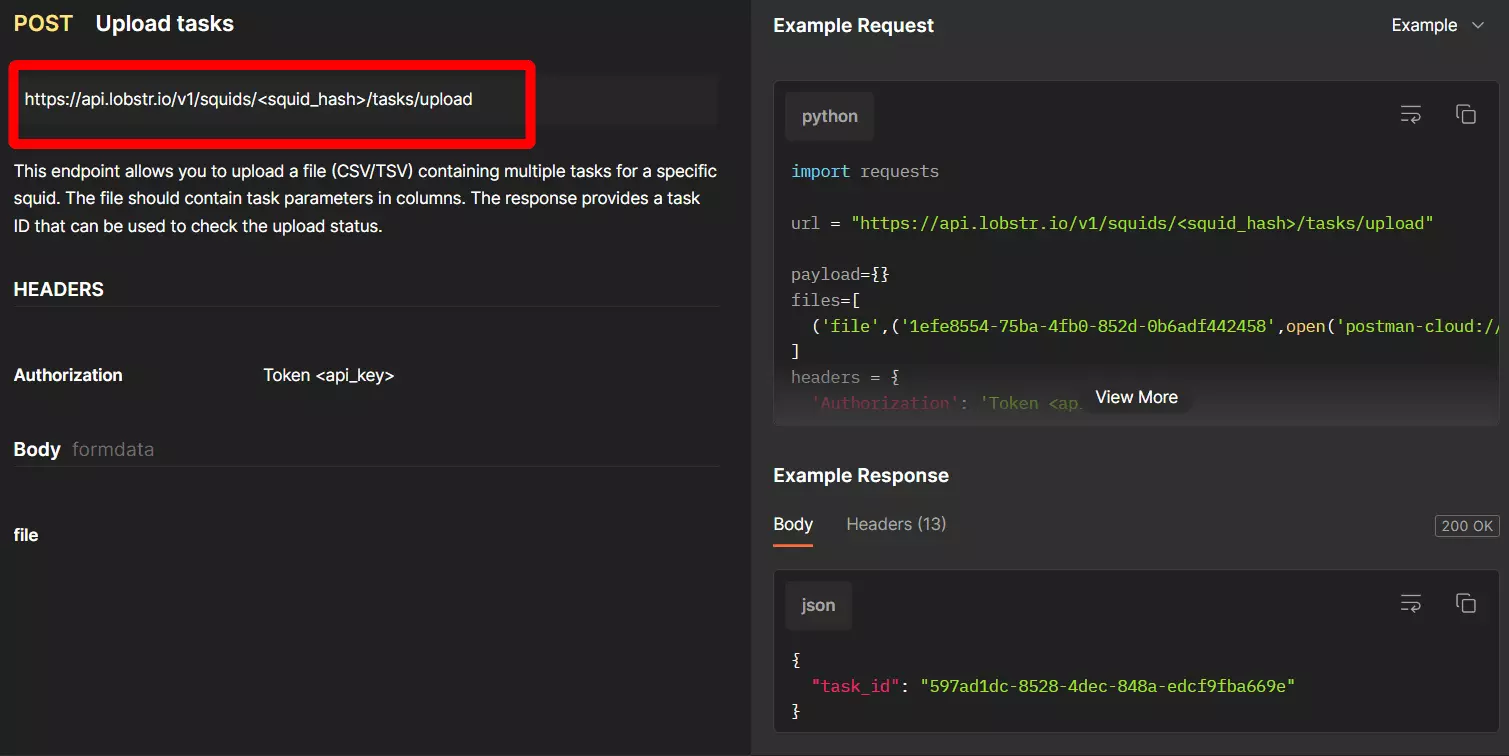
Read the documentation to learn more about uploading tasks.
Now let’s update the Squid parameters too.
4.2. Update Squid
As mentioned earlier, we have 2 required Squid parameters i.e. accounts (synced account) and max_results (maximum number of tweets to scrape).
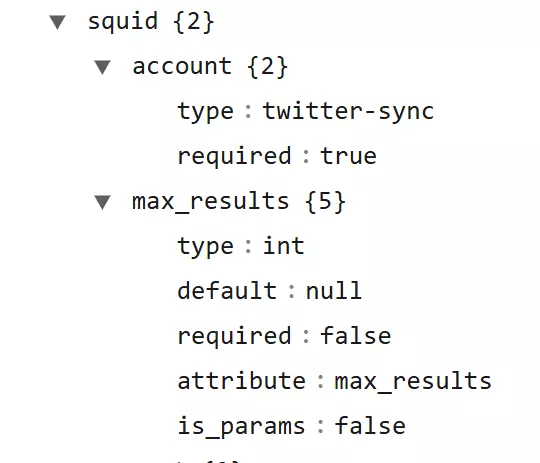
But how do I find account ID?
You can see a list of all synced accounts using accounts, let’s do a curl and find our Twitter account ID.
curl --location "https://api.lobstr.io/v1/accounts" --header "Authorization: Token <api_key>"
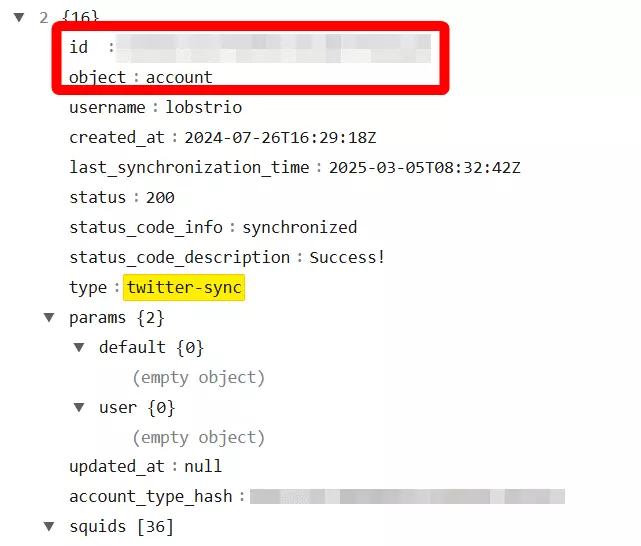
You can sync multiple Twitter accounts and connect them to your Squid by adding their account IDs.
This helps you protect your Twitter account from getting banned (if your goal is to scrape too many tweets and do it fast).
You can directly add the account ID to your code, but to satisfy my OCD, I’ll store it in the environment variable and load it from there.
account_ids = os.getenv('ACCOUNT_IDS')
Let’s update the Squid using squids/<squid_hash> endpoint. I’ll create a separate update_squid() function for that.
def update_squid(squid_id):
    update_url = urljoin(base_url, f'squids/{squid_id}')
    payload = {
        'params':{
            'max_results': 10
        },
        'accounts': [account_ids],
    }
    print('Updating squid...')
    response = session.post(update_url, json=payload)
    if not response.ok:
        print('Error updating the Squid...')
        return None
    else:
        print('Squid updated successfully...')
I’ve set the maximum results to 10 because honestly I don’t want to read 100s of tweets on politics.
You can also add other parameters like:
concurrency– to launch multiple crawlers for faster scrapingexport_unique_results– remove duplicate resultsno_line_breaks– remove line breaks from text fields in CSVrun_notify– receive an email notification once run is complete or ends due to error
And we’re all set… ready to launch.
Step 5 - Launching crawler#
Now let’s run our Squid to initiate the launch and start collecting data. We’ll use the runs endpoint to start a run. It takes the squid_id parameter.
Let’s create a start_run() to initiate the run.
def start_run(squid_id):
    run_url = urljoin(base_url, 'runs')
    payload = {'squid':squid_id}
    print('Starting run...')
    response = session.post(run_url, json=payload)
    if not response.ok:
        print('ERROR RUNNING...')
        return None
    else:
        run_id = response.json().get('id')
        print(f'Run {run_id} created successfully')
    return run_id
But this doesn’t tell us about progress. You won’t know what’s happening in real time.
5.1. Tracking run progress
Tracking progress is important because if you don’t know the progress, you can’t perform the next step.
That’s why we need to use the runs/<run_hash>/stats endpoint to track progress in real time. Let’s create a run_progress() function to track our scraping progress in real time.
def run_progress(run_id):
    run_progress_url = urljoin(base_url, f'runs/{run_id}/stats')
    print('Checking run progress')
    while True:
        response = session.get(run_progress_url)
        if not response.ok:
            print('Error getting stats')
        run_stats = response.json()
        print(f'Progress: {run_stats.get('percent_done', '0%')}')
        if run_stats.get('is_done'):
            print('\nRun is Complete')
            break
        time.sleep(1)
I also added a 1 second sleep to give the server enough time to process the run and update the progress data.
This makes sure each poll retrieves meaningful information.
Now let’s run our scraper and see if it actually works.
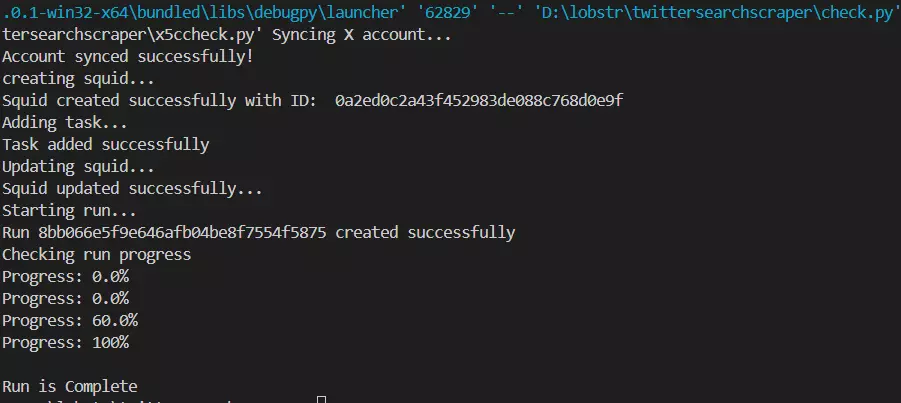
And it’s a success.
But how do I see and download output?
Step 6 - Downloading results#
Once a run ends successfully, Lobstr.io uploads the results to an Amazon S3 Bucket as a CSV file and returns a temporary download URL.
You can use that download URL to download the results file using runs/<run_hash>/download endpoint.
But export can take a few seconds and if you try to fetch the download URL before the export is done, the scraper will give you an error.
That’s why we need to confirm export status before requesting a download URL.
6.1. Get download URL
As per documentation, we can use the export_done parameter that we get in response of runs/<run_hash>, to track export status.
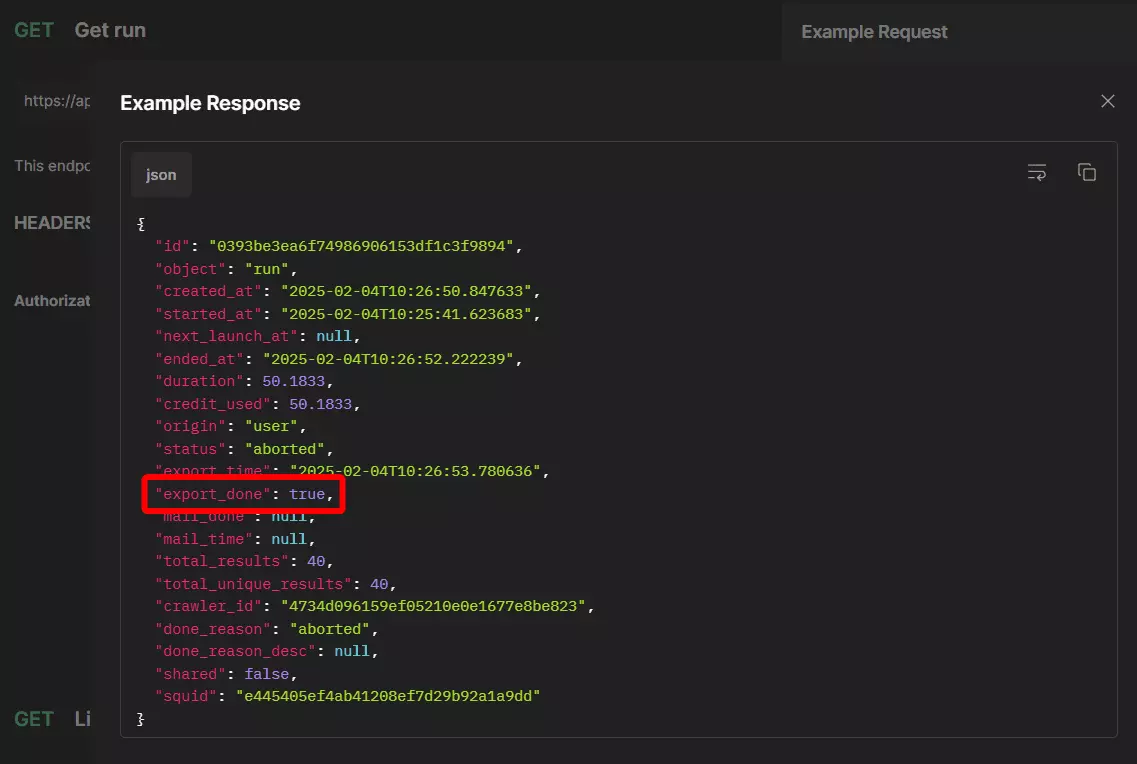
Now let’s write a function to track export status and fetch download URL once we get export_done=True.
def get_s3_url(run_id):
    export_status_url = urljoin(base_url, f'runs/{run_id}')
    max_wait = 60
    interval = 5
    elapsed = 0
    print('Checking export status...')

    while elapsed < max_wait:
        response = session.get(export_status_url)
        if not response.ok:
            print('Error getting export status')
            return None
        export = response.json()
        if export.get('export_done', False):
            print(export.get('status'))
            break
        print('Waiting for export to complete...')
        time.sleep(interval)
        elapsed += interval

    if elapsed >= max_wait:
        print('Export did not complete within the maximum wait time')
        return None

    s3_url_param = urljoin(base_url, f'runs/{run_id}/download')
    print('Getting S3 URL...')
    response = session.get(s3_url_param)
    if not response.ok:
        print("Error getting S3 URL")
        return None
    s3_url = response.json().get('s3')
    if not s3_url:
        print('S3 URL not found')
        return None
    print(f'S3 URL:\n {s3_url}')
    return s3_url
This function keeps checking the export status and once it’s True, it then fetches the S3 URL to download the results.
Now let’s download the results as a CSV file.
6.2. Download results
OK, this step is simple. Let’s use the requests save the S3 file as CSV in our project directory.
Let’s create a new function download_csv() to define our downloading logic.
def download_csv(s3_url):
    csvresp = requests.get(s3_url)
    if not csvresp:
        print('Error downloading csv')
    filename = 'output.csv'
    with open(filename, 'wb') as f:
        f.write(csvresp.content)
    print(f'CSV saved as {filename}')
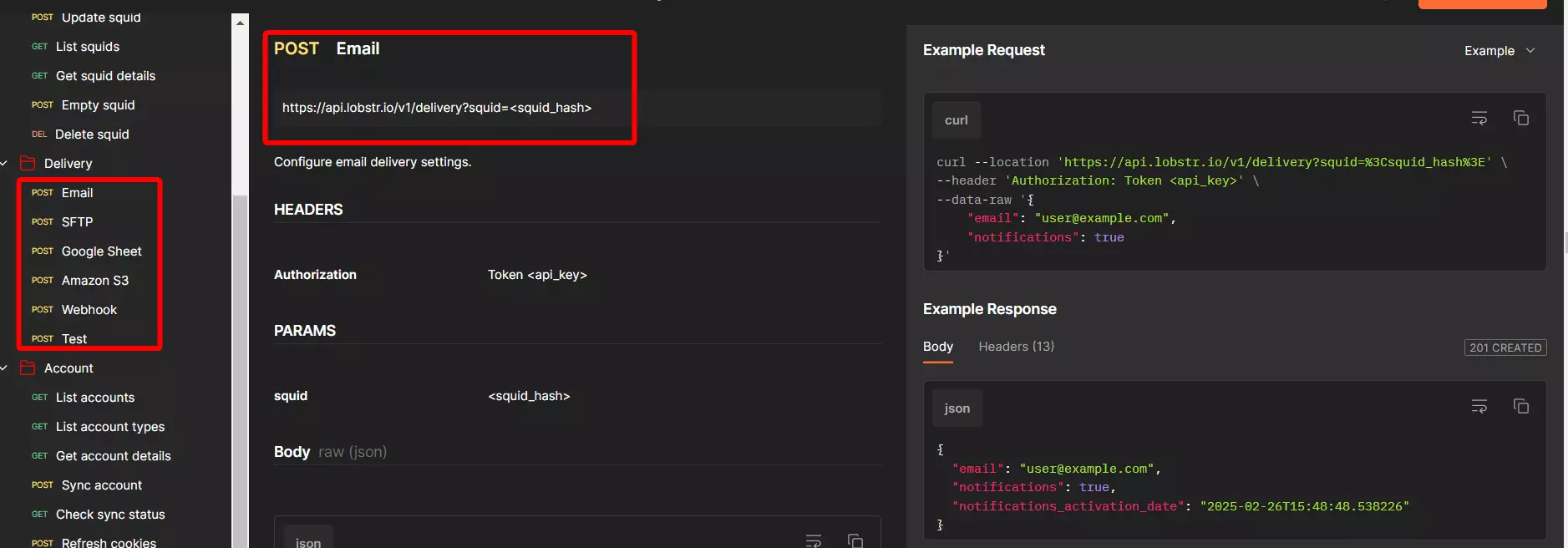
But what if I need to export the results to a Google Sheet or Webhook or another S3 bucket? Or maybe I want to receive the results file directly via email?
Well, you don’t need to search for an external workaround to do that. Lobstr.io handles it for you.
You can use the delivery endpoints to configure your preferred delivery method.
And that’s pretty much it. Let’s call all our functions from main() so that we can use them in sequence.
def main():
    sync_account()
    squid_id = create_squid(crawler_hash)
    if not squid_id:
        print('Squid ID not found... main()')
        return None
    add_tasks(squid_id)
    update_squid(squid_id)
    run_id = start_run(squid_id)
    if not run_id:
        print('Run ID not found... main()')
        return None
    run_progress(run_id)
    s3_url = get_s3_url(run_id)
    download_csv(s3_url)
Now this code looks pretty raw. How about optimizing and cleaning it for maximum efficiency?
Step 7 - Optimizing code#
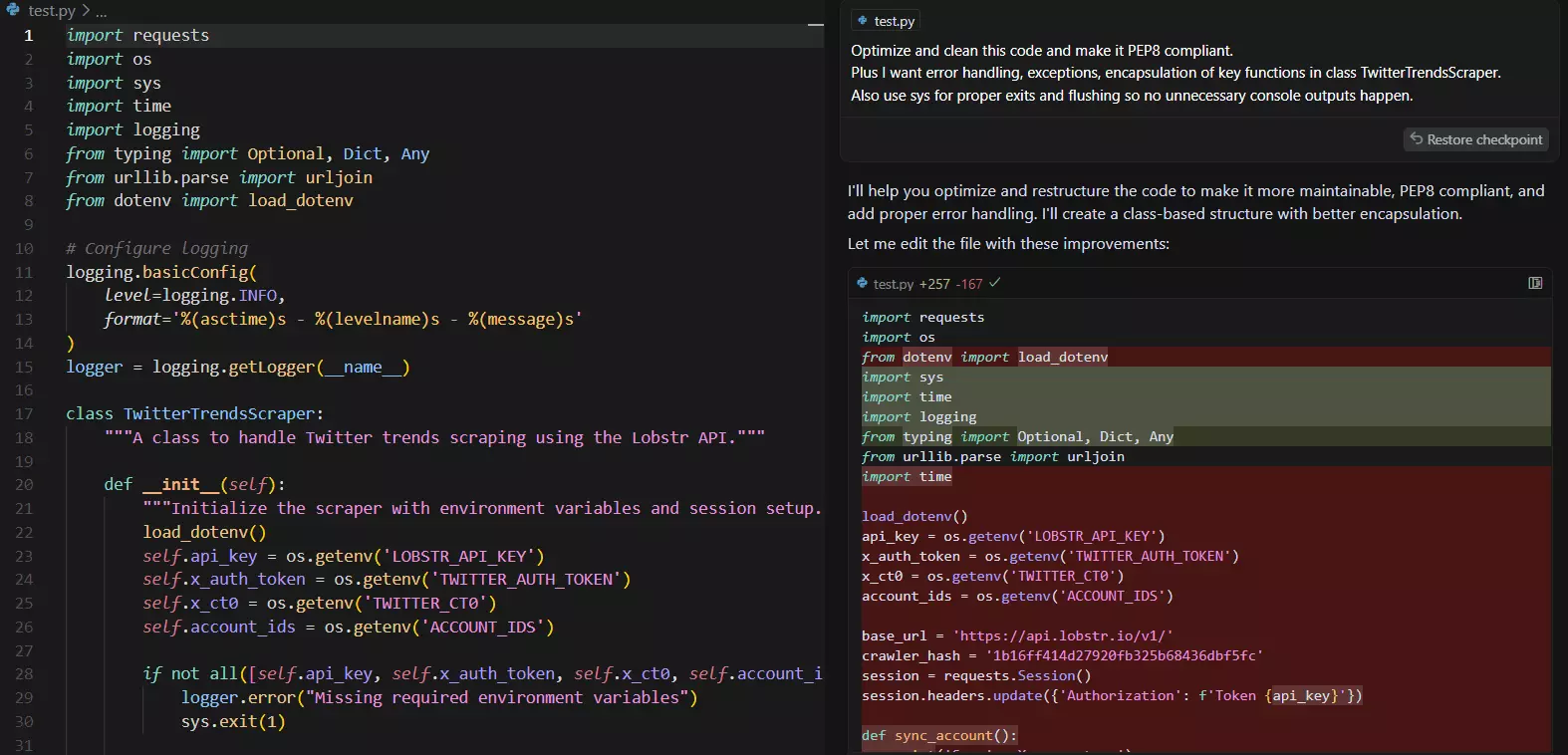
TBH, I don’t want to do it line by line. That’s why I’m going to use Cursor AI (you can use any AI tool like Claud or ChatGPT) to optimize the code for me.
You can also further improve it in different ways.
For example, you can use argparse to make this scraper command-line friendly. It’ll take inputs right in the command line.
You can explore API docs to add more features and make this scraper more robust. There are a lot of useful features to explore.
04 / 06Full code#
You can view and download full Python script from Github via this Gist.
import requests
import os
import sys
import time
import logging
from typing import Optional, Dict, Any
from urllib.parse import urljoin
from dotenv import load_dotenv

# Configure logging
logging.basicConfig(
    level=logging.INFO,
    format='%(asctime)s - %(levelname)s - %(message)s'
)
logger = logging.getLogger(__name__)

class TwitterTrendsScraper:
    """A class to handle Twitter trends scraping using the Lobstr API."""

    def __init__(self):
        """Initialize the scraper with environment variables and session setup."""
        load_dotenv()
        self.api_key = os.getenv('LOBSTR_API_KEY')
        self.x_auth_token = os.getenv('TWITTER_AUTH_TOKEN')
        self.x_ct0 = os.getenv('TWITTER_CT0')
        self.account_ids = os.getenv('ACCOUNT_IDS')

        if not all([self.api_key, self.x_auth_token, self.x_ct0, self.account_ids]):
            logger.error("Missing required environment variables")
            sys.exit(1)

        self.base_url = 'https://api.lobstr.io/v1/'
        self.crawler_hash = '1b16ff414d27920fb325b68436dbf5fc'
        self.session = self._setup_session()

    def _setup_session(self) -> requests.Session:
        """Set up and return a requests session with proper headers."""
        session = requests.Session()
        session.headers.update({'Authorization': f'Token {self.api_key}'})
        return session

    def _make_request(self, method: str, endpoint: str, **kwargs) -> Optional[Dict[str, Any]]:
        """Make an HTTP request with error handling."""
        url = urljoin(self.base_url, endpoint)
        try:
            response = self.session.request(method, url, **kwargs)
            response.raise_for_status()
            return response.json()
        except requests.exceptions.RequestException as e:
            logger.error(f"Request failed: {str(e)}")
            return None

    def sync_account(self) -> Optional[str]:
        """Sync Twitter account with Lobstr."""
        logger.info('Syncing X account...')
        payload = {
            'type': 'twitter-sync',
            'cookies': {
                'auth_token': self.x_auth_token,
                'ct0': self.x_ct0
            },
        }

        response = self._make_request('POST', 'accounts/cookies', json=payload)
        if not response:
            return None

        sync_id = response.get('id')
        if not sync_id:
            logger.error('Sync ID not found in response')
            return None

        check_response = self._make_request('GET', f'synchronize/{sync_id}')
        if not check_response:
            logger.error('Checking Sync Failed...')
            return None

        logger.info('Account synced successfully!')
        return sync_id

    def create_squid(self) -> Optional[str]:
        """Create a new squid instance."""
        payload = {'crawler': self.crawler_hash}
        logger.info('Creating squid...')

        response = self._make_request('POST', 'squids', json=payload)
        if not response:
            return None

        squid_id = response.get('id')
        if not squid_id:
            logger.error('Squid creation failed...')
            return None

        logger.info(f'Squid created successfully with ID: {squid_id}')
        return squid_id

    def update_squid(self, squid_id: str) -> bool:
        """Update squid configuration."""
        payload = {
            'params': {'max_results': 30},
            'accounts': [self.account_ids],
        }
        logger.info('Updating squid...')

        response = self._make_request('POST', f'squids/{squid_id}', json=payload)
        if not response:
            logger.error('Error updating the Squid...')
            return False

        logger.info('Squid updated successfully...')
        return True

    def add_tasks(self, squid_id: str) -> bool:
        """Add search tasks to the squid."""
        payload = {
            'tasks': [{
                'url': 'https://x.com/search?q=Democrats&src=trend_click&vertical=trends'
            }],
            'squid': squid_id
        }
        logger.info('Adding task...')

        response = self._make_request('POST', 'tasks', json=payload)
        if not response:
            logger.error('Task adding error encountered')
            return False

        logger.info('Task added successfully')
        return True

    def start_run(self, squid_id: str) -> Optional[str]:
        """Start a new run for the squid."""
        payload = {'squid': squid_id}
        logger.info('Starting run...')

        response = self._make_request('POST', 'runs', json=payload)
        if not response:
            return None

        run_id = response.get('id')
        if not run_id:
            logger.error('Run creation failed')
            return None

        logger.info(f'Run {run_id} created successfully')
        return run_id

    def monitor_run_progress(self, run_id: str) -> bool:
        """Monitor the progress of a run."""
        logger.info('Checking run progress')
        while True:
            response = self._make_request('GET', f'runs/{run_id}/stats')
            if not response:
                return False

            run_stats = response
            logger.info(f"Progress: {run_stats.get('percent_done', '0%')}")

            if run_stats.get('is_done'):
                logger.info('Run is Complete')
                return True

            time.sleep(3)

    def get_s3_url(self, run_id: str) -> Optional[str]:
        """Get the S3 URL for the run results."""
        max_wait = 60
        interval = 5
        elapsed = 0
        logger.info('Checking export status...')

        while elapsed < max_wait:
            response = self._make_request('GET', f'runs/{run_id}')
            if not response:
                return None

            if response.get('export_done', False):
                logger.info(response.get('status'))
                break

            logger.info('Waiting for export to complete...')
            time.sleep(interval)
            elapsed += interval

        if elapsed >= max_wait:
            logger.error('Export did not complete within the maximum wait time')
            return None

        s3_response = self._make_request('GET', f'runs/{run_id}/download')
        if not s3_response:
            return None

        s3_url = s3_response.get('s3')
        if not s3_url:
            logger.error('S3 URL not found')
            return None

        logger.info(f'S3 URL: {s3_url}')
        return s3_url

    def download_csv(self, s3_url: str) -> bool:
        """Download the CSV file from S3 URL."""
        try:
            response = requests.get(s3_url)
            response.raise_for_status()

            filename = 'output.csv'
            with open(filename, 'wb') as f:
                f.write(response.content)
            logger.info(f'CSV saved as {filename}')
            return True
        except Exception as e:
            logger.error(f'Error downloading CSV: {str(e)}')
            return False

    def run(self) -> bool:
        """Execute the complete scraping process."""
        try:
            if not self.sync_account():
                return False

            squid_id = self.create_squid()
            if not squid_id:
                return False

            if not self.add_tasks(squid_id):
                return False

            if not self.update_squid(squid_id):
                return False

            run_id = self.start_run(squid_id)
            if not run_id:
                return False

            if not self.monitor_run_progress(run_id):
                return False

            s3_url = self.get_s3_url(run_id)
            if not s3_url:
                return False

            return self.download_csv(s3_url)

        except Exception as e:
            logger.error(f"An unexpected error occurred: {str(e)}")
            return False

def main():
    """Main entry point for the script."""
    try:
        scraper = TwitterTrendsScraper()
        success = scraper.run()
        sys.exit(0 if success else 1)
    except KeyboardInterrupt:
        logger.info("Script interrupted by user")
        sys.exit(1)
    except Exception as e:
        logger.error(f"Fatal error: {str(e)}")
        sys.exit(1)

if __name__ == '__main__':
    main()
Now let’s run it… Here we go. A complete success!
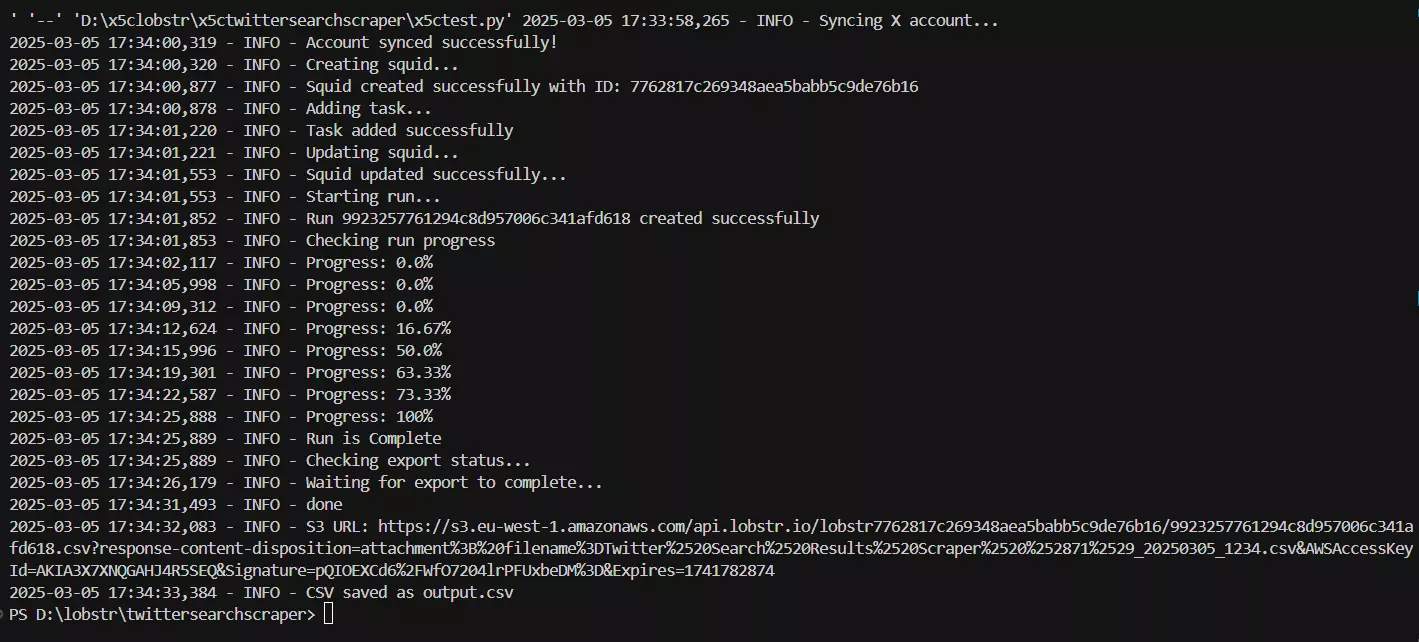
Now before a celebration toast 🥂, let’s open the CSV file and see the output.
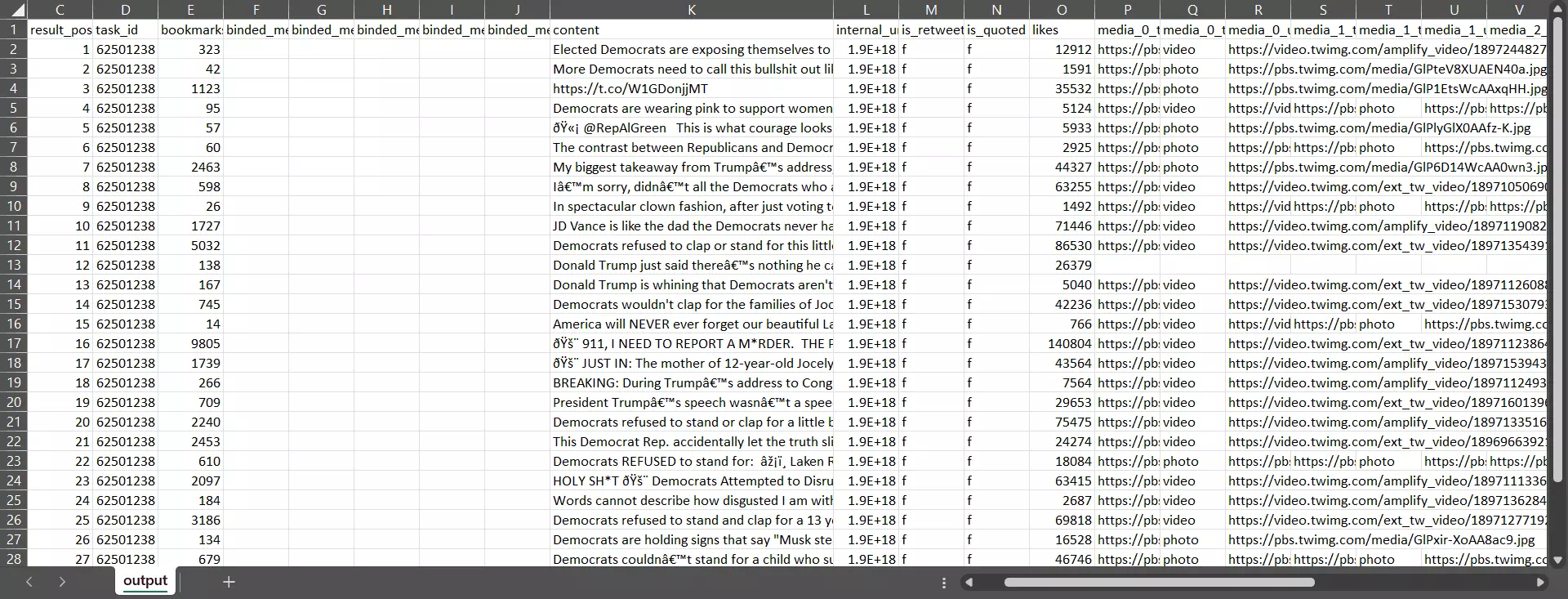
And here we have a dataset of top tweets on a trending topic with all important tweet data, retweets, bookmarks, likes, and what not.
And that’s it. Our Twitter trends scraper using Lobstr.io API is fully functional.
What next?
Well, you can make this scraper even more powerful by integrating our other Twitter crawlers.
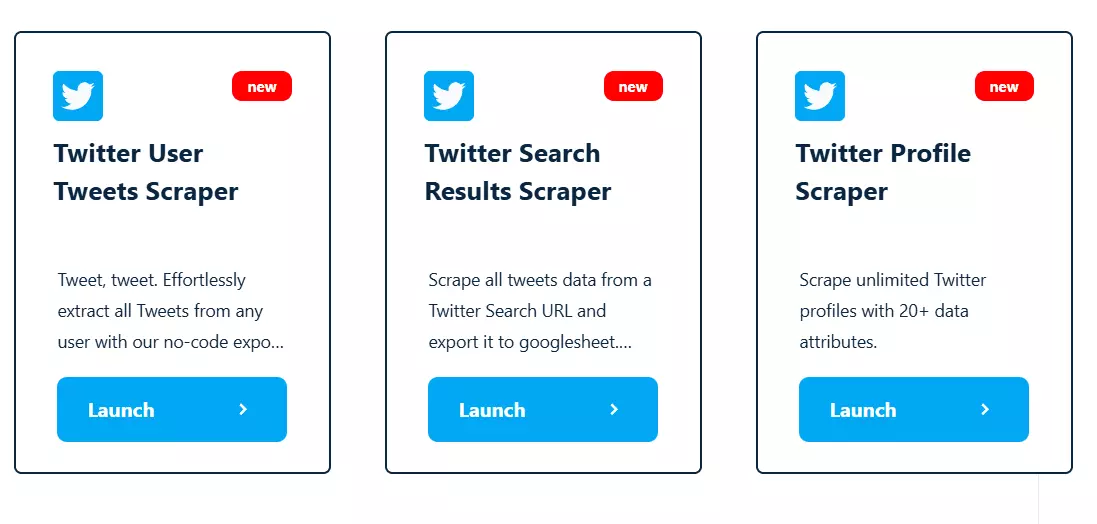
- Twitter User Tweets Scraper collects all tweets from any Twitter user profile
- Twitter Profile Scraper collects all public information of a Twitter profile for lead generation
Or you can also integrate OpenAI’s API to the scraper to build an AI powered sentiment analysis tool or any other data analysis use case.
If you want me to enhance this scraper with other crawlers and AI, ping me on LinkedIn or X.
Now before wrapping up, let me answer some FAQs.
05 / 06FAQs#
How can I scrape twitter data for some years?#
You can use Twitter Search Results Scraper for historical data collection too as it accepts Twitter advanced search URLs.
You can use our Twitter Search URL generator to get search URLs of a person’s tweets within a certain time range.
How do you download tweets from a user?#
You can use our Twitter User Tweets Scraper to build an automation to download the latest tweets of as many Twitter users as you want.
It allows scheduled scraping to extract data daily, weekly, or monthly.
Can you scrape Twitter without API?#
Yes you can scrape Twitter search results, profile data, and user tweets without API and even without coding.
Here are some beginner-friendly tutorials on scraping Twitter without coding.
Does SNScrape Twitter scraping tool still work?#
It does work but not at scale. SNScrape is an open source module for scraping social media like Twitter, it’s often used with Pandas.
But it has many issues. It collects limited tweets due to a login wall, isn’t well maintained, and is full of bugs.
What Python libraries are best for web scraping Twitter data?#
You can use Tweepy with the official API, SNScrape for scraping without the official API, and Selenium or BeautifulSoup for HTML parsing and handling dynamic content.
But you can’t collect more than a few hundred tweets because the content is mostly behind a login wall. You’ll need expensive proxies and other measures to scrape data at scale.
06 / 06Conclusion#
That’s a wrap on how to scrape Twitter trends using Python and Lobstr.io API. If you want me to further enhance this scraper or explain any related topic, ping me on LinkedIn or X.